
New SQLite module for PowerShell
Freshly back from PSConfEU, I released
synedgy.PSSQlite:
a module to make SQLite persistence easier inside PowerShell modules.

Why SQLite for automation
SQLite is a practical option for local persistence and caching:
- Single-file database format
- Fast enough for many module scenarios
- Straightforward backup and restore operations
- Low operational overhead
It’s especially useful for local module data or lightweight caches (for example PowerShell Universal data caching).
SQLite limitations to keep in mind
- SQLite’s type system is intentionally simple (
INTEGER,REAL,TEXT,BLOB,ANY). - Concurrent writes can contend because writes lock the database file.
- It is not a universal replacement for heavier relational workloads.
In module contexts, these trade-offs are often acceptable, especially for local state, caches, and lightweight data stores.
Why build synedgy.PSSqlite
synedgy.PSSqlite lowers adoption friction by allowing CRUD operations without
forcing every consumer to author raw SQL for common flows.
Two design choices in this implementation:
- Use
Microsoft.Data.Sqliteinstead ofSystem.Data.SQLite - Keep a no-SQL path for common CRUD operations
The core command set:
Get-PSSqliteRowNew-PSSqliteRowSet-PSSqliteRowRemove-PSSqliteRow
SQL persistence without writing SQL everywhere
In the example module, Get-Car passes $PSBoundParameters to
Get-PSSqliteRow as ClauseData:
function Get-Car {
    [CmdletBinding()]
    param(
        [string]$Make,
        [string]$Model,
        [string]$Colour,
        [int]$Year
    )

    $getPSSqliteRowParams = @{
        SqliteDBConfig = (Get-myModuleConfig)
        TableName      = 'Cars'
        ClauseData     = $PSBoundParameters
        Verbose        = $Verbose.IsPresent -or $VerbosePreference -in @('Continue', 'Inquire')
    }

    Get-PSSqliteRow @getPSSqliteRowParams
}
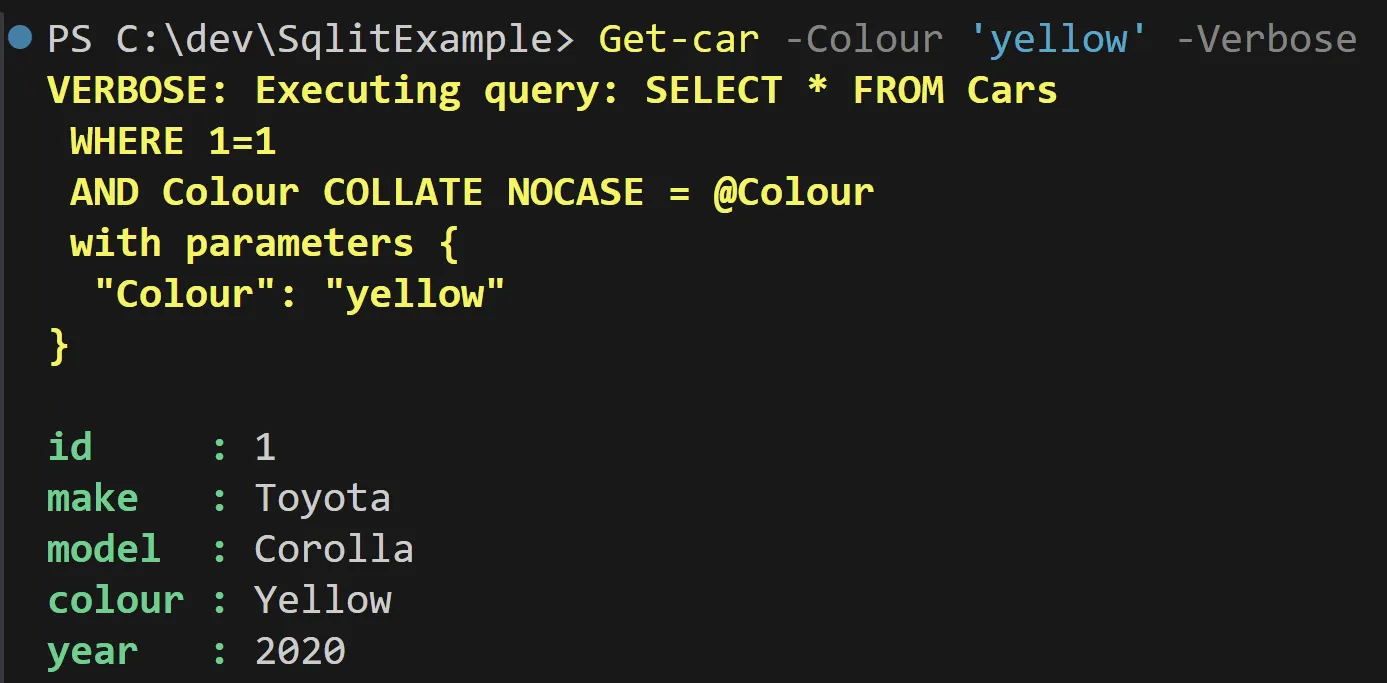
Running Get-Car -Colour yellow -Verbose generates parameterized SQL and
returns matching rows:
Schema-driven configuration
The module uses a YAML-backed configuration to describe:
- Database path and file
- Table definitions
- Column metadata and constraints
# ./config/myModule.PSSqliteConfig.yml
DatabasePath: $repository
DatabaseFile: test.db
version: 0.0.3
Schema:
  Tables:
    cars:
      columns:
        id:
          type: INTEGER
          PrimaryKey: true
          indexed: true
        make:
          type: TEXT
        model:
          type: TEXT
        colour:
          type: TEXT
        year:
          type: INTEGER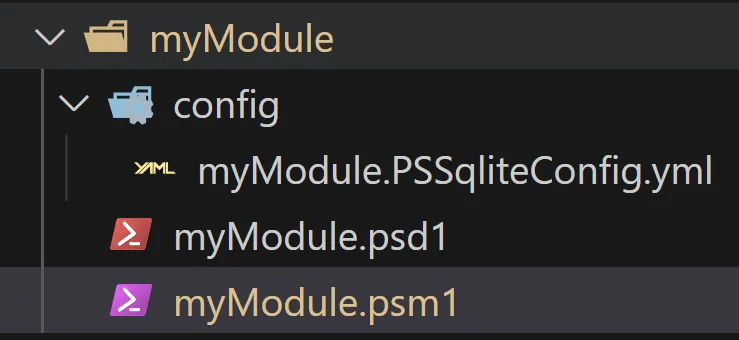
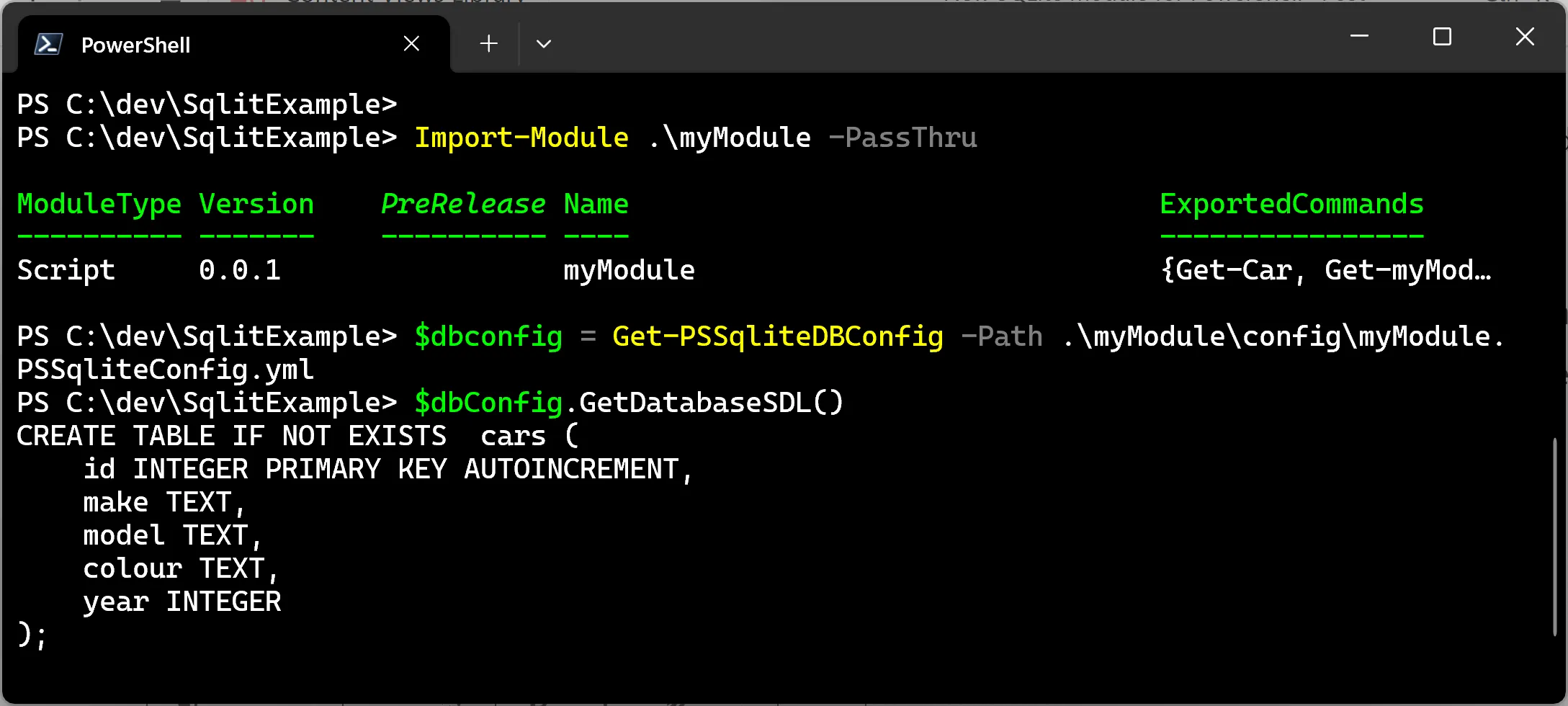
With this schema, the module can generate SQL statements and initialize database objects in a repeatable way.
Invoking custom SQL when needed
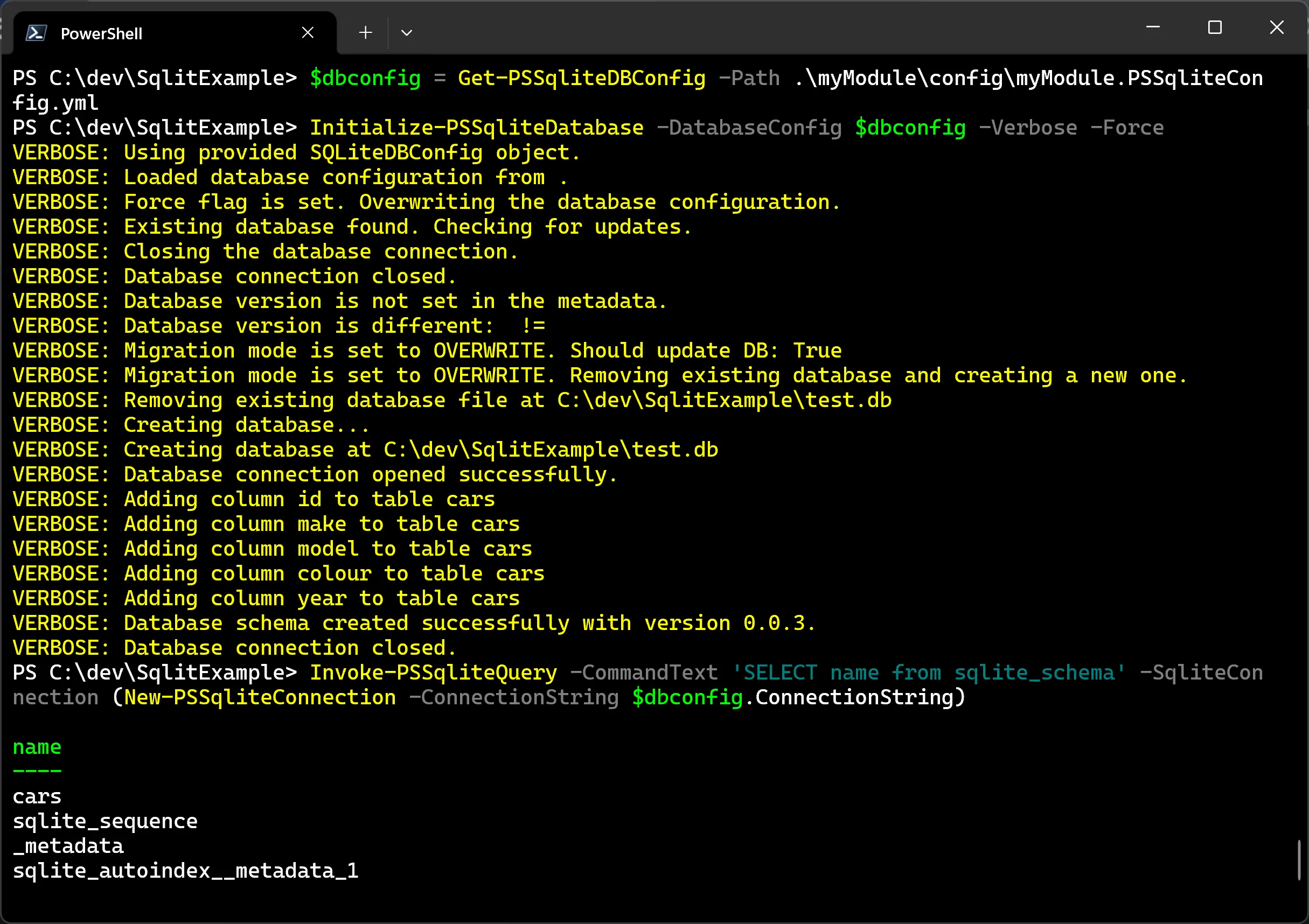
The module still exposes Invoke-PSSqliteQuery for direct SQL when needed:
$dbconfig = Get-PSSqliteDBConfig -Path .\myModule\config\myModule.PSSqliteConfig.yml
$conn = New-PSSqliteConnection -ConnectionString $dbconfig.ConnectionString
Invoke-PSSqliteQuery `
    -SqliteConnection $conn `
    -CommandText 'SELECT * FROM cars WHERE colour LIKE @colour' `
    -Parameters @{ colour = 'Yel%' }
Usage patterns that help in production
A few practical habits help in production:
- Cache the loaded config object in module scope
- Manage connection lifetime explicitly (
-KeepAliveonly when useful) - Rely on parameterized SQL for safer queries
Conclusion
synedgy.PSSqlite aims to give module authors a pragmatic default:
schema-driven persistence and simple CRUD commands, with an escape hatch for
custom SQL whenever needed.