
PowerShell Modules Exporting classes
Wouldn’t it be great if module classes were as easy to consume as module
functions? We naturally expect Import-Module to expose everything we need, but
class consumption has extra parse-time constraints that make module design
awkward.

This post uses the same examples as the ModuleExportClasses repository.
But we can’t export classes directly
PowerShell does not let us export classes through Export-ModuleMember or via
module manifest keys.

That typically leads to one of these outcomes:
- Forcing consumers to add
using moduleat parse time - Brittle script ordering when several modules depend on class types
- Harder discoverability and reuse for class-based designs
The using module statement works, but can be fragile
If a module defines a class:
# .\MyModule\MyModule.psm1
class MyModuleClass {
    static [string] DoStuff() {
        return "I'm busy!"
    }
}
you can consume it using:
# .\myScript.ps1
using module .\MyModule
[MyModuleClass]::DoStuff()
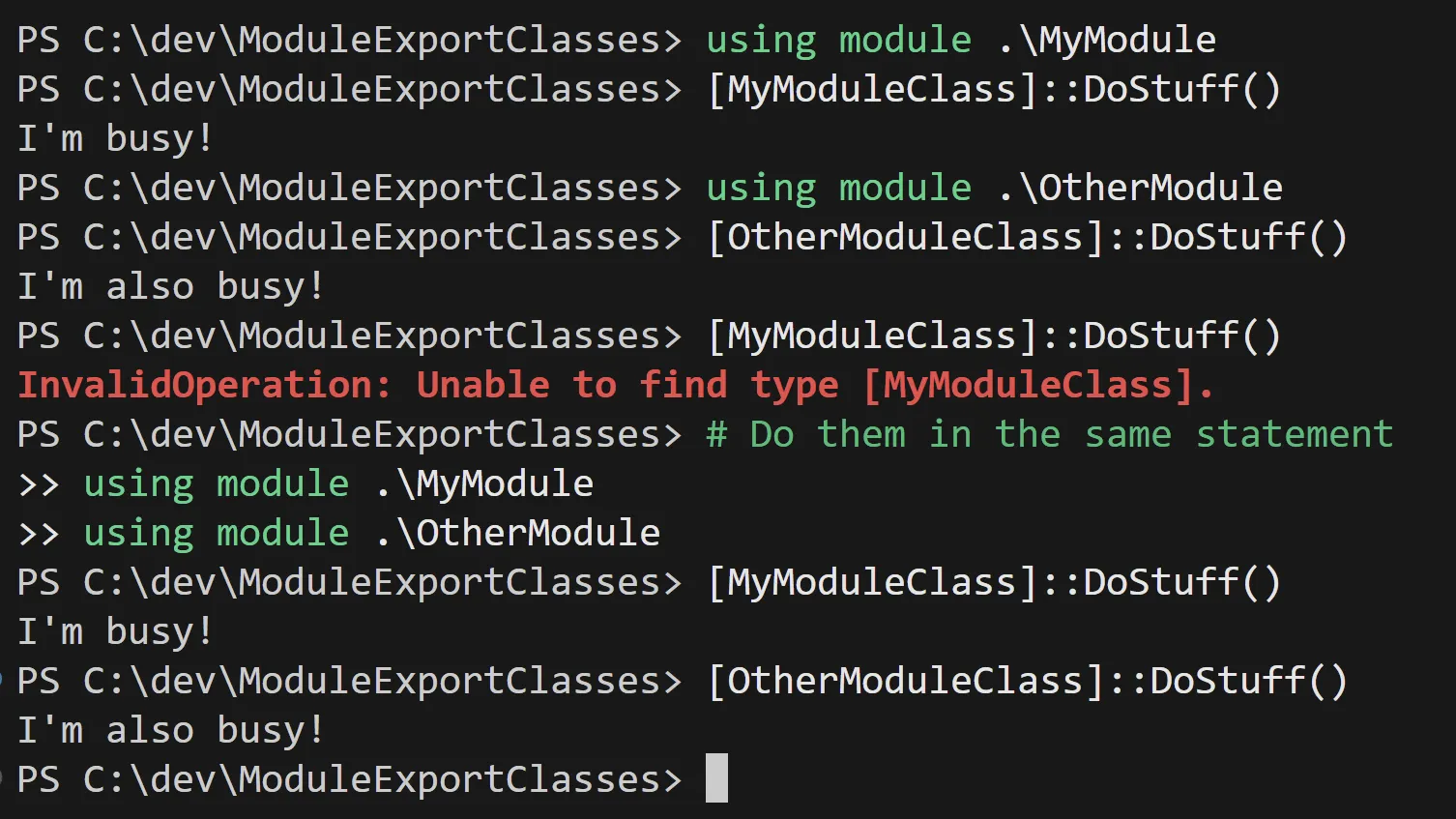
The issue appears when chaining modules and interactive usage.
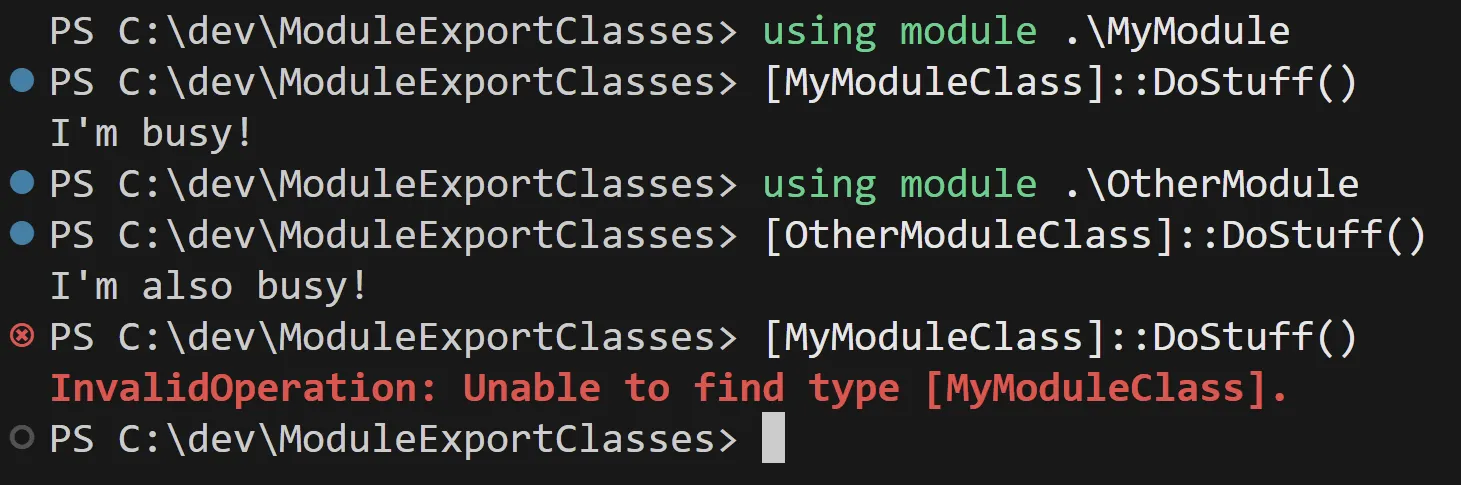
If statements are evaluated in the same parse block, it may work:
Introducing type accelerators
Type accelerators are aliases for .NET types. We can leverage the internal
System.Management.Automation.TypeAccelerators class to register aliases for
our module classes when the module imports.
# Get the internal TypeAccelerators class
$typeAcceleratorsClass = [psobject].Assembly.GetType(
    'System.Management.Automation.TypeAccelerators'
)

$typeAcceleratorsClass::Get.GetEnumerator() | Select-Object -First 3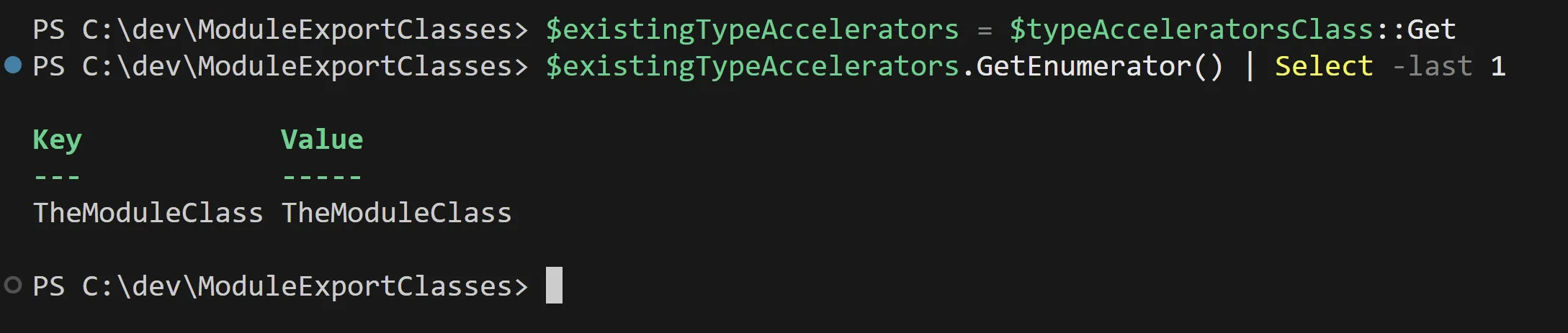
Exporting class aliases during module import
The practical pattern is to append registration logic at the bottom of the module file, after classes are declared:
$typesToExportWithNamespace = @(
    'TheModuleClass'
)

$typeAcceleratorsClass = [psobject].Assembly.GetType(
    'System.Management.Automation.TypeAccelerators'
)
$moduleName = $MyInvocation.MyCommand.ScriptBlock.Module.Name
$existingTypeAccelerators = $typeAcceleratorsClass::Get

foreach ($typeToExport in $typesToExportWithNamespace) {
    $fullTypeToExport = '{0}.{1}' -f $moduleName, $typeToExport
    $type = $typeToExport -as [System.Type]
    if (-not $type) {
        throw "Type '$typeToExport' not found."
    }
    if ($fullTypeToExport -in $existingTypeAccelerators.Keys) {
        Write-Warning "Overriding type accelerator '$fullTypeToExport'."
    }

    $null = $typeAcceleratorsClass::Add($fullTypeToExport, $type)
}

$MyInvocation.MyCommand.ScriptBlock.Module.OnRemove = {
    foreach ($typeName in $typesToExportWithNamespace) {
        $null = $typeAcceleratorsClass::Remove('{0}.{1}' -f $moduleName, $typeName)
    }
}.GetNewClosure()
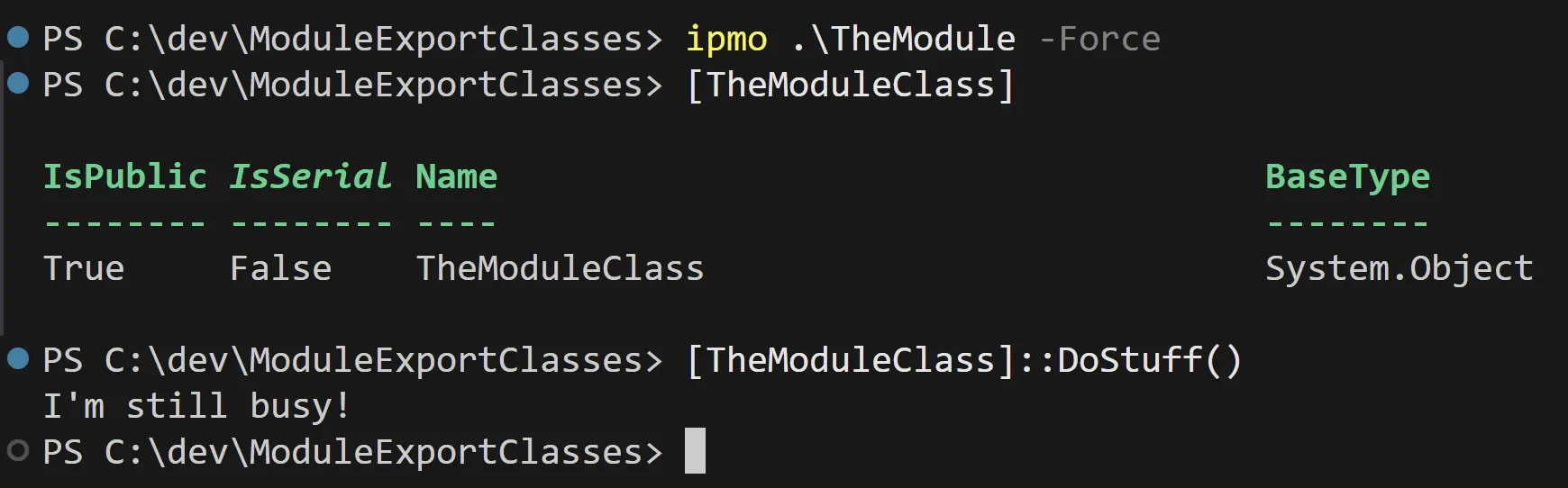
After importing the module:
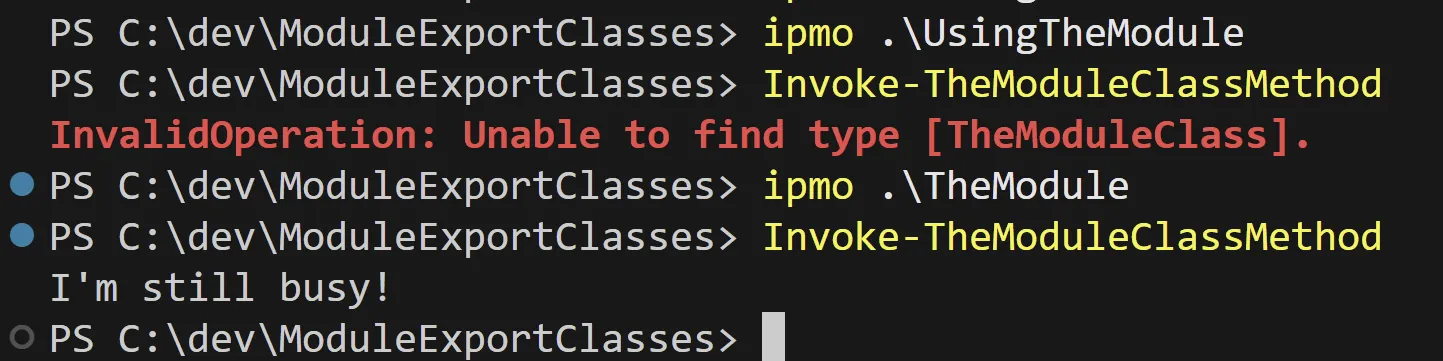
Load order still matters
Type accelerators are registered only when import code executes. If the source module cannot be located, or imports too late, calls still fail.

After importing the source module, the same call path resolves:

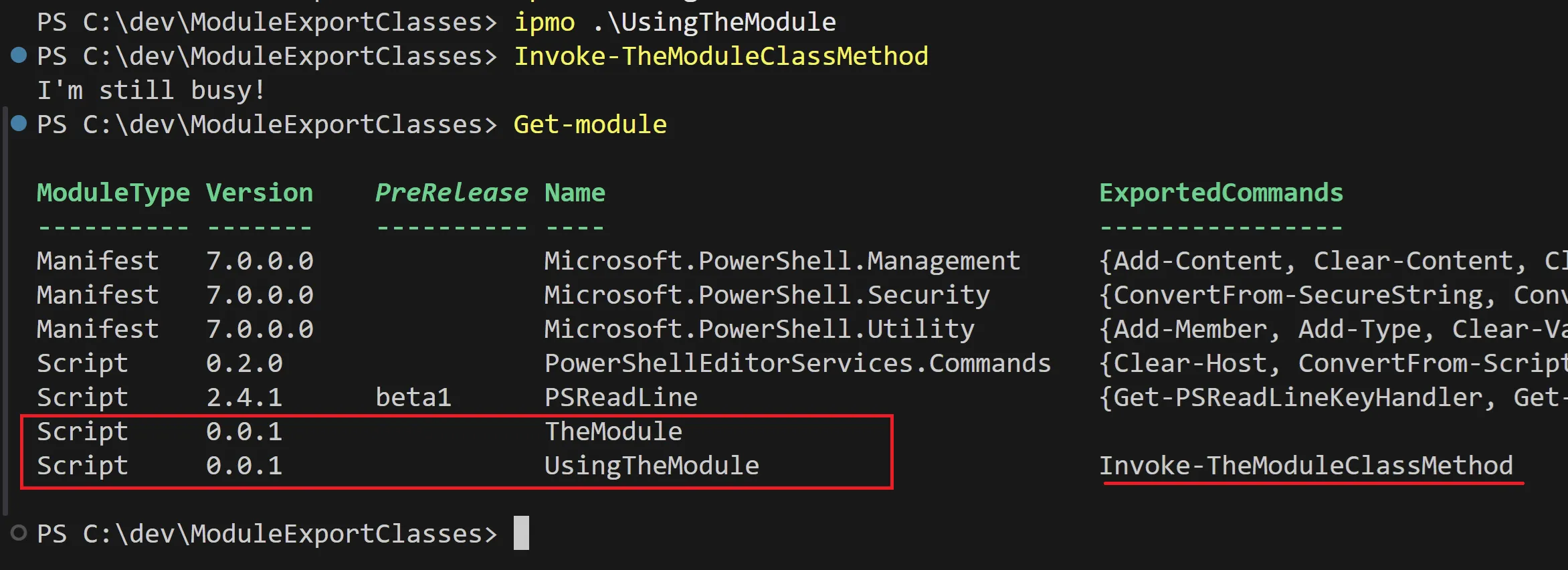
Updating PSModulePath (or installing modules in expected locations) resolves
this:
$psmodpath = $Env:PSModulePath -split [io.path]::PathSeparator
if ($psmodpath -notcontains $PWD.Path) { $psmodpath = @($PWD.Path) + $psmodpath }
$env:PSModulePath = $psmodpath -join [io.path]::PathSeparator
Then the dependent module and class usage succeed:
Namespacing workaround
Because PowerShell classes don’t provide native namespace ergonomics here, a
practical naming convention is to export accelerators as
[ModuleName.ClassName]. That reduces collisions while keeping call sites
readable.
Limitations and trade-offs
- No IntelliSense parity with native class namespaces.
- Accelerator naming discipline is required to avoid collisions.
- Runtime import order still matters for consumers.